


Procurement KPIs: How To Measure What Actually Matters
Procurement KPIs are the metrics that tell you whether your purchasing process is working. It is not just what you spent, but how efficiently spend moved through approvals, how consistently teams followed policy, and where delays or leakage are slowing the business down.
Most teams are tracking something. Fewer are tracking the metrics that actually surface problems early enough to fix them.
This guide covers seven procurement KPIs that consistently reveal where processes are working and where they aren’t, what good performance looks like based on real benchmark data, and what you need in place to track them without manual effort.
7 procurement KPIs that matter
1. PO cycle time
Why it matters:
Long purchase order cycles delay projects, increase rushed last-minute purchases, and create unnecessary costs. Faster cycles improve operational flow and vendor relationships.
What it reveals:
This metric shows how efficiently purchase requests move through your process, from initial request to final PO. High numbers often point to bottlenecks in approvals, unclear workflows, or disconnected systems.
What it enables:
With visibility into PO cycle times, you can identify delay points by department, improve accountability, and build a case for automation where it’s most needed.
Benchmark: Procurement benchmarking indicates a median requisition-to-PO cycle time of approximately 55 hours.
2. Percentage of catalog spend
Why it matters:
PunchOut catalogs streamline purchasing. They reduce manual approvals, promote preferred vendor usage, and ensure consistent pricing and compliance.
What it reveals:
This metric shows how often employees follow approved buying paths. Low percentages often signal that the system is hard to use, the right suppliers aren’t included, or employees are bypassing controls.
What it enables:
By optimizing catalog design and policy enforcement, you can increase adoption, reduce maverick spend, and bring more purchases under centralized control.
Benchmark: Catalog adoption varies significantly by industry. Procurify’s 2026 procurement benchmark report can help you identify how you compare to your peers.
3. AP processing time
Why it matters:
The faster invoices are processed, the stronger your cash flow, and the fewer headaches from vendors waiting to get paid.
What it reveals:
This highlights how efficient and integrated your accounts payable process is. Long processing times typically reflect manual handoffs, inconsistent invoice matching, or overloaded approvers.
What it enables:
With insight into bottlenecks, you can streamline approvals, prioritize high-volume invoices, and even unlock early-payment discounts.
Benchmark: Based on an analysis of $30b in spend, the overall trend is improving, with average processing times dropping by half.
4. Maverick spend rate
Why it matters:
Off-policy purchases bypass controls, complicate budgeting, and weaken supplier leverage.
What it reveals:
High maverick spend suggests either that employees are unaware of policy, or that the purchasing process isn’t meeting their needs. It often reveals policy gaps or usability issues in your system.
What it enables:
This insight can guide improvements in training, user experience, and enforcement, turning rogue spend into compliant, trackable activity.
5. Supplier on-time delivery rate
Why it matters:
Late deliveries can delay projects, increase rush costs, and undermine trust between teams and vendors.
What it reveals:
This shows how reliable your suppliers are over time. Poor performance could stem from vendor issues or internal forecasting breakdowns.
What it enables:
Tracking this rate allows you to hold vendors accountable, renegotiate terms, or consolidate with partners who consistently deliver on time.
6. Budget deviation rate
Why it matters:
Budget deviations often go unnoticed until they become serious problems. This KPI helps teams catch issues before they escalate.
What it reveals:
This identifies which departments or projects are drifting from budget—and whether those are isolated incidents or recurring patterns.
What it enables:
Armed with this insight, you can enforce budget-aware approvals, flag at-risk projects earlier, and improve forecasting over time.
7. Compliance rate (vs. policy or grants)
Why it matters:
High compliance rates signal strong financial discipline. They reduce audit risk and show stakeholders that controls are working.
What it reveals:
This tracks whether teams are following procurement policy, or if significant spend is happening outside approved workflows or grant guidelines.
What it enables:
Monitoring compliance helps pinpoint where policies are breaking down, where training is needed, or where the system itself may need improvement to support adoption.
Why procurement measurement is getting more complex
Procurement spans every department, every vendor relationship, and every approval decision in the business. That scope is exactly what makes measurement difficult. Data lives in multiple systems, purchasing happens outside approved workflows, and by the time a monthly report surfaces a problem, the spend has already happened.
The organizations that get this right share a common approach: they track metrics at the process level, not just the outcome level. Instead of asking “did we stay on budget?” they ask “where did spend leave the process before it could be controlled?” That shift — from outcome metrics to process metrics — is what makes KPIs actionable rather than just informative.
Three specific pressures are making this more urgent:
The rise of SaaS and digital buying
Employees across departments are purchasing software, licenses, and services on demand. Without centralized tracking, spend visibility disappears before procurement can act on it.
Pressure for spend transparency
CFOs and boards expect to know where money is going before it’s gone — not in a quarterly review. That requires metrics connected to live approval workflows, not reports built after the fact.
Vendor accountability in uncertain markets
Knowing who you’re buying from isn’t enough. You need to know how reliably they deliver and whether your own purchasing patterns are creating supply chain risk.
How to track these KPIs automatically
Tracking procurement KPIs manually is slow, inconsistent, and often inaccurate. Most ERPs weren’t built to surface operational metrics like PO cycle time or catalog adoption in real time, and spreadsheets require hours of cleanup before they tell a complete story. Here’s what you need in place to track these KPIs without manual effort.
System-level timestamps for every step
PO cycle time and invoice processing time can only be calculated accurately if your system records every event automatically — request submitted, approved, PO issued, invoice received, payment made. User-entered timestamps create gaps and errors that make the data unreliable.
Budget-aware approval workflows
Tracking budget deviation requires purchase approval workflows to be connected to live budget data. Approvers need to see whether a request fits within available budget at the moment they’re reviewing it — not after the fact.
Catalog integration and policy enforcement
Catalog adoption and maverick spend can only be measured if purchasing flows through a system that captures both compliant and non-compliant buying. If employees can purchase outside the process without it being recorded, the metric is incomplete.
Vendor data in one place
Supplier on-time delivery and compliance rates require vendor data to be centralized. When performance information is scattered across emails, spreadsheets, and separate systems, patterns are invisible until they become problems.
A unified spend dashboard
All five requirements above are only useful if the data they generate is visible in one place. Procurement, finance, and leadership need a single view that updates in real time, not a report that reflects the last month.
The procurement software you use to manage purchasing should be doing this work automatically. If it isn’t, the KPIs exist in theory but not in practice.
KPI benchmarks by industry: where do you stack up?
Drawn from Procurify’s 2026 Procurement Benchmark and KPIs Report, which analyzed over $30B in anonymized customer data across seven industries.
These metrics provide a practical framework for measuring and improving procurement performance within your organization.
| Industry | Median PO cycle time | AP processing time | PO ratio | Catalog adoption rate | Average PO value |
|---|---|---|---|---|---|
| Educational Services | 68 hrs | 75 hrs | 82.5% | 76.2% | $1,238 |
| Financial & Professional Services | 43 hrs | 133 hrs | 82.2% | 18.6% | $10,598 |
| Healthcare, Pharma & Life Sciences | 43 hrs | 98 hrs | 86.8% | 61.7% | $13,018 |
| Manufacturing & Production | 38 hrs | 72 hrs | 75.0% | 39.7% | $5,754 |
| Public Sector & Non-Profit | 69 hrs | 72 hrs | 72.3% | 62.1% | $3,106 |
| Tech, Media & Telecom | 90 hrs | 57 hrs | 70.8% | 50.0% | $14,761 |
| Travel & Logistics | 37 hrs | 62 hrs | 71.9% | 53.1% | $13,443 |
| Source: Procurify 2026 Procurement Benchmark & KPIs Report, based on $30B+ in anonymized customer data. | |||||
How to use this procurement data
This benchmark data is more than just a snapshot — it’s a diagnostic tool. Here’s how procurement and finance leaders can apply it:
1. Compare your internal metrics to your industry
- Start by identifying your own PO cycle time, AP processing time, catalog adoption rate, and average PO value.
- Ask: Are we faster or slower than our peers? Are we handling more transactions, but with lower efficiency?
2. Spot red flags
- A high PO cycle time: Anything above 60 hours typically signals friction in approvals or incomplete requests at intake.
- Low catalog adoption: Below 40% often signals off-policy buying and inconsistent vendor usage.
- AP processing times: While these vary significantly by industry, compare against your industry column in the table above rather than a single threshold.
3. Identify areas to automate or streamline
- If your volume is high but PO values are low (like Nonprofits), automation can reduce administrative burden.
- Long AP times? Consider workflow tools that auto-match POs, invoices, and payments.
- Low catalog usage? Revamp your vendor onboarding or make catalogs easier to navigate.
4. Build a business case
Benchmarks give you the evidence to act. When you can show leadership that your PO cycle time is 90 hours against an industry median of 55, or that your catalog adoption rate sits at 20% while peers in your sector average 60%, the conversation shifts from “we think there’s a problem” to “here’s exactly what it’s costing us.”
Use the table above to identify your largest gap, quantify it in hours or dollars, and use that as the foundation for a procurement software benefits business case that finance leaders can act on.
Bonus: Try this ChatGPT prompt to evaluate your procurement performance
Prompt: “Compare these internal procurement KPIs to industry benchmarks. Highlight where we’re underperforming and suggest 3 specific process improvements we could make to reduce delays, increase catalog usage, or improve supplier performance.”
Then paste in:
- Your PO cycle time
- AP processing time
- % of catalog spend
- Average PO value
- Any relevant vendor performance data
This helps your team or leadership quickly identify blind spots and discuss where automation or policy changes can deliver ROI.
See how your procurement performance compares across all 12 KPIs. Download the Procurify 2026 Procurement Benchmark & KPIs Report.
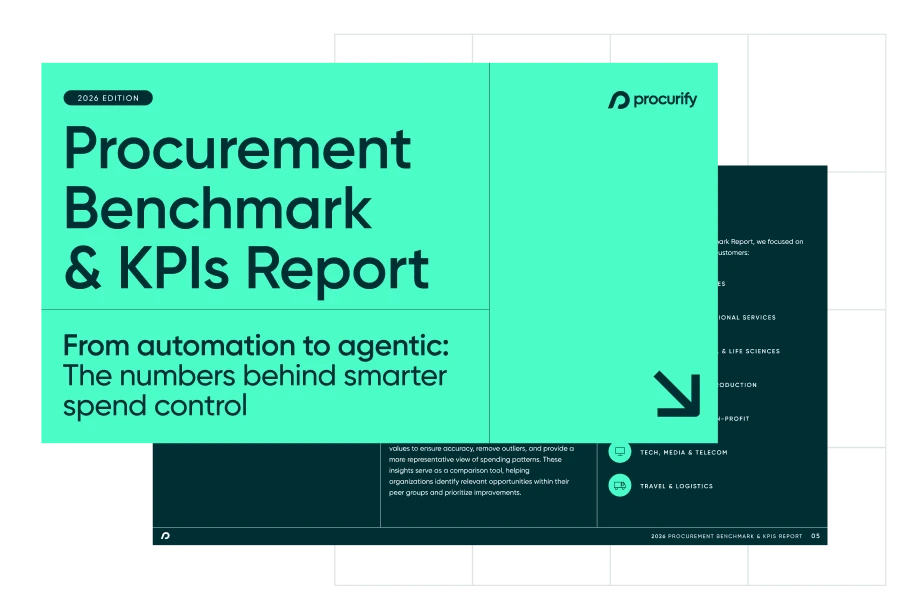
$30B+ in real spend data you won’t get anywhere else
Find out what it takes to move from reactive to AI-driven operations.


