



The Nonprofit Purchasing Checklist: 8 Steps to Smarter Spending
For nonprofits, every dollar spent directly affects the mission. Unlike for-profit businesses, nonprofits work within tight budgets, grant conditions, donor expectations, and strict audit requirements. Every purchase—whether office supplies, program materials, or services—needs to be intentional, documented, and compliant.
And yet, nonprofit purchasing is hard. Budgets shift, multiple funders impose different rules, and teams juggle approvals, vendors, receipts, and reporting—all while trying to serve their communities. Without a structured purchasing process, organizations face overspending, delays, and compliance risks.
This checklist outlines practical steps to streamline purchasing, strengthen financial control, and make mission-driven decisions, supported by sector-wide nonprofit procurement insights and your organizational purchasing policy.
1. Assign clear purchasing roles
Lack of role clarity leads to duplicate purchases, unapproved spend, and documentation gaps. Establish responsibilities across your purchasing workflow:
- Requesters submit purchase needs
- Approvers validate budget, necessity, and funder rules
- Finance/AP ensures compliance, codes invoices, and processes payments
- Procurement negotiates pricing and manages vendor relationships
This structure builds accountability and reduces bottlenecks. Your team roles should also align with your broader nonprofit procurement operations strategy.
To enhance oversight, implement spending thresholds and approval workflows, ensuring that purchases meet financial policies before moving forward.
2. Set an approval hierarchy
A well-defined approval workflow prevents unauthorized spending and ensures financial accountability. Structuring approval levels by purchase amount helps maintain control without unnecessary delays.
Approval levels help prevent unauthorized or noncompliant spend. Match thresholds to your organizational size, funder rules, and policy.
A common hierarchy includes:
- Under $500 → Department lead
- $500–$1,000 → Finance
- Over $1,000 → Executive or board-level approval
Approval workflows should reflect your nonprofit’s purchasing policy and grant requirements.
Common Nonprofit Purchase Approval Workflows (Real-World Examples)
While purchase approval workflows across finance, IT, operations, and administration differ across teams, the most common bottlenecks occur in the same places.
Finance & Accounts Payable (AP)
Finance and AP are typically the last stop in the chain—and often the slowest. Approvals frequently happen informally (email, Slack, hallway conversations), leaving AP to reconcile missing approvals, unclear amounts, or mismatched POs at month-end.
Result: Delays, confusion, and extra administrative cleanup.
IT & Procurement
IT fields many software and equipment requests, often without the context needed—technical requirements, security considerations, or vendor status. Procurement steps in to check allowability and vendor compliance, but without approved catalogs or contracts, purchases are often ad hoc.
Result: Duplicate tools, unmanaged renewals, and SaaS sprawl.
Programs & Operations
Program and operations teams make time-sensitive purchases tied to events, program delivery, or facilities. Approvals may move through managers who aren’t close to the urgency, and sourcing can stall when vendors need to be validated first.
Result: Slowed program delivery and avoidable delays.
Development & Fundraising
Campaigns and events move quickly. Purchases like media buys, printing, or event materials often stall while budget owners or finance reviews requests.
Result: Missed opportunities or rushed, noncompliant spend.
Facilities & Administration
Admin teams manage many low-value, high-frequency purchases. Without thresholds or auto-approvals, even routine orders require multiple sign-offs.
Result: Workflow gridlock on purchases that should be simple.
The fix:
Clear routing rules, defined thresholds, and pre-approved vendor lists keep requests moving and prevent departments from operating through informal approvals.
3. Develop a clear purchasing policy
Nonprofits receiving external funding must follow specific procurement methods, including:
- Micro-purchases: Small, low-risk spend under the federal micro-purchase threshold
- Small purchase procedures: Informal quotes for purchases above micro thresholds
- Sealed bids: Competitive, formal bids for high-value procurements
- Competitive proposals: Evaluation-based procurement where sealed bidding isn’t ideal
- Noncompetitive proposals (sole source): Limited, case-based exceptions
Your internal policy should also define:
- Approval thresholds
- Required documentation
- Spend categories
- Conflict-of-interest rules
- Exception handling
This should align with your broader nonprofit purchasing policy to ensure approval thresholds and documentation remain consistent.
4. Establish criteria for choosing vendors and strengthen your supplier base
Choosing the right vendors affects cost, compliance, and how well spending supports your mission. But strong vendor management isn’t just about choosing good suppliers—it’s also about choosing fewer of them. Many nonprofits unintentionally spread spend across a long list of vendors, resulting in inconsistent pricing, additional administrative work, and greater complexity for AP.
A more strategic approach combines thoughtful vendor evaluation with supplier base optimization, which means consolidating spend with reliable, mission-aligned partners. When teams reduce one-off or ad hoc suppliers and route routine purchases through approved vendors, they gain better pricing, cleaner documentation, and a simpler, more controlled purchasing process.
Fewer, stronger vendor relationships also help ensure compliance with grant rules and make month-end close easier, since documentation is consistent and expectations are clear. Over time, this strengthens financial stewardship and reduces friction in both purchasing and nonprofit AP workflows.
5. Plan before you purchase
Proactive planning helps nonprofits avoid rushed, high-cost, or noncompliant purchases. By reviewing program calendars, recurring expenses, and seasonal needs, teams can anticipate what they’ll require for events, program cycles, technology upgrades, or facility improvements.
When purchases are planned ahead—rather than made urgently—organizations gain time to compare prices, request quotes, consolidate orders, and stay aligned with budgets and grant guidelines. This kind of foresight reduces administrative pressure and prevents the last-minute, ad hoc buying that often results in non-PO purchases and inconsistent documentation.
Good planning keeps work predictable, spending intentional, and financial operations far smoother.

6. Document every purchase for transparency
Strong documentation practices support accountability across the entire organization. Every purchase should include a clear record of the request, the approval, the invoice, the receipt, and any related coding or delivery confirmations. These details create a reliable audit trail that protects the organization and simplifies reporting to funders, boards, and auditors.
Centralizing documentation—rather than scattering it across inboxes, spreadsheets, or shared drives—reduces confusion, prevents lost files, and makes month-end reconciliation far easier. It also ensures that staff can quickly verify that purchases align with grant restrictions and internal policies.
7. Manage your purchase orders effectively
Purchase orders provide structure to the purchasing process by confirming what has been approved before a purchase is made. POs outline price, quantity, vendor, and funding source, helping teams stay within budget and reducing uncertainty when invoices arrive.
Using POs consistently—especially for larger or grant-funded purchases—prevents overspending and reduces the amount of time finance and AP teams spend tracking down missing approvals. Matching POs with invoices and receipts helps maintain accuracy and supports clean, audit-ready documentation. Organizations that apply exceptions only when clearly justified maintain tighter financial control without adding unnecessary friction.
8. Leverage technology for smarter purchasing
Technology brings much-needed consistency and visibility to nonprofit purchasing. When approvals, vendor data, budgets, and documentation all live in one system, teams can track spending in real time, reduce manual errors, and ensure compliance across programs and funders.
Automated routing prevents bottlenecks, digital records protect against missing documentation, and centralized vendor management helps nonprofits maintain stronger oversight of pricing and performance. With fewer administrative tasks and clearer insights into how money moves across the organization, staff can redirect more time toward mission-driven work.
Final thoughts: Strengthening your nonprofit’s financial strategy
A structured purchasing process is one of the most effective ways nonprofits can protect their budgets and ensure resources flow where they matter most. When teams have clear roles, defined approval pathways, a consistent purchasing policy, and reliable documentation practices, the entire organization benefits from greater control and fewer disruptions.
Strong purchasing habits don’t just reduce waste — they create the conditions for better decision-making, smoother operations, and more confident financial reporting. With thoughtful planning, reliable vendors, and the right level of visibility, nonprofits can direct more dollars toward programs and mission-driven work, as reflected in recent nonprofit procurement benchmark data, rather than administrative rework or unexpected costs.
A well-managed purchasing process is ultimately a strategic advantage. It strengthens accountability, supports compliance, and allows every dollar to go further in service of the communities and causes your organization exists to support.
If you’re working to strengthen your purchasing process, exploring your own data and benchmarks is a natural next step. If you’re working to strengthen your purchasing process, exploring your own data and benchmarks is a natural next step. Download the nonprofit procurement benchmark snapshot to see how your organization compares.
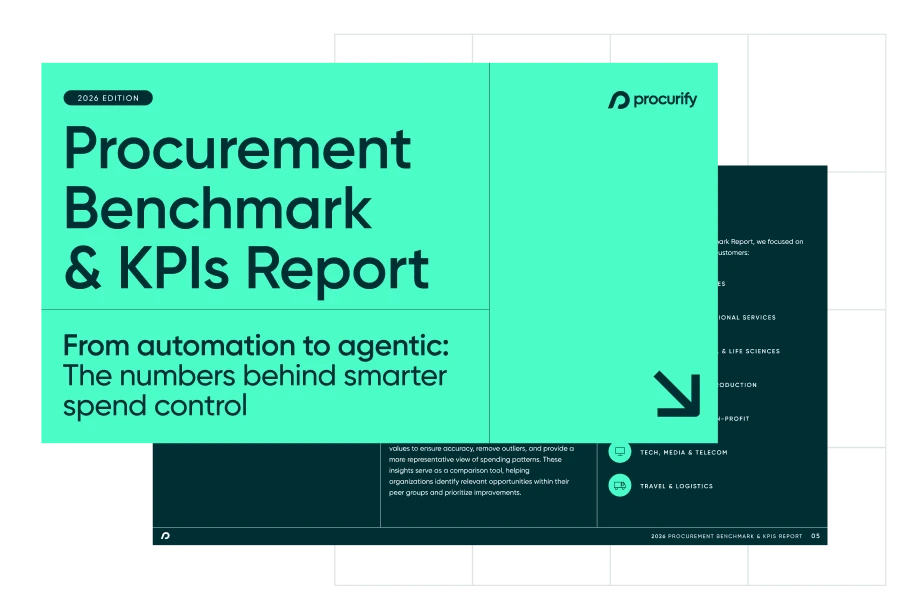
$30B+ in real spend data you won’t get anywhere else
Find out what it takes to move from reactive to AI-driven operations.


