



AI-Powered Invoice Processing Automation: How It Works and What to Look For
Invoice processing automation covers a lot of ground depending on the platform. From basic OCR data capture at one end to fully connected purchasing, approval, and ERP sync workflows at the other. For AP managers evaluating solutions, the practical questions tend to center on ERP integration reliability, OCR exception rates, and whether the approval workflow configuration is flexible enough to handle their organization’s needs without requiring constant manual intervention.
This guide addresses those areas directly. It covers how invoice processing automation works, where manual workflows create the most overhead at mid-market volumes, what Procurify’s implementation looks like in practice, and what to assess when comparing platforms.
What is invoice processing automation?
Invoice processing automation is software that handles the steps between invoice receipt and payment approval without requiring manual data entry, document retrieval, or approval chasing. It uses optical character recognition to extract invoice data, AI-based validation to verify that data against purchase records, and workflow automation to route validated invoices through your approval structure and into your ERP or accounting system.
The scope varies significantly by platform. Some solutions address only data capture, leaving approval routing and ERP posting as manual steps. More complete implementations connect invoice processing to the upstream purchasing workflow, so account codes, purchase order data, and budget information are already present in the system by the time an invoice arrives — eliminating the retrieval and re-entry steps that consume most of the manual processing time.
How invoice processing automation works
A complete implementation handles the invoice lifecycle across five stages, each replacing a distinct category of manual work:
- Invoice capture. Invoices arriving by email, upload, or scan enter a centralised intake point automatically. The system handles multiple formats and submission channels simultaneously, creating a consistent starting point regardless of how different vendors send invoices. There is no manual sorting, forwarding, or filing involved at this stage.
- Data extraction. OCR technology reads each invoice and pulls header and line-level data: invoice number, PO number, vendor name, invoice date, due date, and individual line items. The accuracy of this step directly determines downstream workload — higher extraction accuracy means fewer exceptions requiring manual correction before the invoice can proceed.
- Validation. Extracted data is verified automatically against the corresponding purchase order and, where applicable, the receiving record. Invoices that fall within your configured tolerance thresholds proceed to approval; those outside tolerance are held and routed to the appropriate reviewer with the specific discrepancy flagged.
- Approval routing. Validated invoices are routed to approvers based on rules configured for your organisation — by invoice amount, department, cost centre, vendor category, or exception type. Approvers are notified and can review from any device. Escalation paths handle unavailable approvers automatically, so a single person being out of office does not hold up an entire batch.
- ERP posting and payment scheduling. Approved invoices are posted to your accounting or ERP system with the complete transaction record attached — original invoice, purchase order reference, receiving confirmation, and approval history. Payment is scheduled according to invoice terms, with the full audit trail maintained without additional preparation.
Where manual invoice processing creates the most overhead
It is said that on average, manual invoice processing costs between $15 and $40 per invoice. Compare that to $2-$5 per invoice with automation. This is a reduction of up to 80%. That cost gap is not primarily about software licensing. It reflects what AP teams are actually spending time on at each stage of a manual workflow.
The most time-consuming part is rarely the step that looks the most complex. It is the accumulation of small, repetitive tasks that run in parallel with every invoice: opening a PDF, cross-referencing a PO number in a separate system, typing header data into a form, looking up the right account code, forwarding to an approver, following up when there is no response, re-entering approved data into the ERP. While none of these steps are difficult, they all add up. For a team processing several hundred invoices a month, this is where most of the working week goes.
Purchase approval routing is where the cost of manual processing becomes visible externally. An invoice waiting in a manager’s inbox has no escalation path, no visibility for the AP team, and no signal to the vendor. The first indication that something has stalled is usually a vendor chasing payment, by which point the invoice may already be past due. Late payment penalties and lost early payment discounts are the direct financial consequences, but the less quantifiable cost is the time AP staff spend managing vendor inquiries that exist only because the approval process is opaque.
Data entry errors create a different category of overhead. Manual input produces a consistent error rate — a miskeyed amount, a wrong account code, a duplicate submission that gets processed twice. Each error requires someone to identify what went wrong, trace it back through the paper trail, correct it in the system, and, in some cases, reverse a payment. The investigation time per error typically exceeds the time saved by catching it upstream. When errors compound across a month of invoices, they surface at period close as reconciliation variances that land on the AP team’s desk at the worst possible moment.
These are the specific problems that the best accounts payable automation software was designed to eliminate. It is not by making individual steps faster, but by removing the manual handoffs between them entirely.
How Procurify handles invoice processing automation
Procurify’s procurement software connects invoice processing to the purchasing workflow rather than treating it as a standalone AP function. The practical effect is that the data needed to process and validate an invoice is already in the system before the invoice arrives.
Purchase order data is available from the start
When a purchase order is created and approved in Procurify, unbilled items are generated at that point. The system records ordered quantities, agreed unit prices, and account codes from the approved requisition. By the time a vendor invoice arrives, the reference data for validation is already present — no retrieval from a separate system, no manual re-entry of information that was captured at the requisition stage.
Invoice capture through a dedicated inbox
Each AP team is provisioned with a unique, non-guessable inbox email address. The recommended approach is for vendors to continue sending invoices to your existing AP email address, with your team forwarding them to the Procurify inbox. This preserves existing vendor communication patterns while centralising intake. Vendors can alternatively be instructed to send directly to the inbox address if a cleaner setup is preferred.
Procurify’s AI-enhanced OCR processes each attachment automatically on arrival. Accepted formats are PDF, JPEG, and PNG files up to 25MB, with up to 10 attachments per email, each generating a separate draft bill. The system extracts the following fields from every invoice without manual input:
- Invoice number and invoice date
- PO number
- Vendor name
- Due date
Extracted data populates a pre-filled draft bill with the original document attached. Account codes from the approved requisition carry over automatically, removing the re-coding step that typically consumes time in manual invoice entry workflows.
Approval routing and exception management
Once a draft bill is validated, Procurify routes it through your configured approval workflow. Routing conditions are set by your organisation and can be based on invoice amount, department, cost centre, or variance level. Exceptions are flagged with the specific discrepancy identified, so reviewers are working from clear information rather than having to investigate what is wrong before they can make a decision.
Approved bills sync directly to your ERP system. Native integrations are available for NetSuite, QuickBooks Online, QuickBooks Desktop, Sage Intacct, and Microsoft Dynamics 365. The full transaction record is posted alongside the bill, so the history in your ERP reflects the complete purchasing and approval trail without additional reconciliation.
How Pindari automated invoice processing across 15 locations
Pindari is an Indigenous-owned contracting company operating in Australia’s mining and resources sector. Managing accounts payable across 15 locations, the finance team found that manual invoice workflows created data silos, duplicate invoices, and approval delays that became harder to manage as the business grew.
Since implementing Procurify’s AP automation software, Pindari has processed more than AU $4 million in purchase orders with full visibility across all locations. Invoice processing across the 15 sites runs through automated OCR extraction rather than manual data entry, and with purchasing and AP connected in a single system, the finance team’s capacity has shifted from data handling to oversight and exception management.
“It allows us to only pay for what we’ve received, which is extremely important because we receive a lot of invoices. And, if you’re billing for the same thing twice, three times, it’s impossible to juggle. Procurify controls what we purchase, ensuring we don’t duplicate bills or pay too much, and everything is kept on record.” — Ashley Poole, Accounts Payable Specialist, Pindari
What to assess when evaluating invoice processing automation platforms
The differences between platforms that matter most at the evaluation stage are not always the ones featured most prominently in product marketing. For AP managers who will own the system day-to-day, the following areas are worth examining closely, especially as finance teams begin evaluating how much AI authority in spend workflows they are comfortable delegating to automation.
- OCR accuracy and exception rate. Most platforms claim accurate data extraction. The more useful question is what percentage of invoices require manual correction after extraction, and what invoice types generate the most exceptions. Platforms trained on a broader range of invoice formats and vendor types tend to produce lower exception rates in practice, which has a direct effect on how much manual handling remains after automation is in place.
- Approval workflow flexibility. The ability to configure routing rules by amount, department, cost centre, and exception type determines how well the platform fits your actual approval structure. Platforms with rigid or limited routing logic require workarounds that re-introduce manual steps. Confirm that escalation paths for unavailable approvers are configurable and automatic rather than reliant on manual intervention.
- Native versus connector-based ERP integration. A native integration is maintained by the AP automation vendor as part of their core product and updates when either system updates. A connector-based integration introduces a third dependency that can break when the ERP or the AP platform is updated, adding maintenance overhead and potential reliability risk.
- Connection to the upstream purchasing workflow. Platforms that process invoices in isolation leave account coding, PO data retrieval, and budget checking as manual steps at the invoice stage. Platforms that connect to the purchasing workflow upstream have that data available automatically, reducing the handling required per invoice and improving matching accuracy.
- Audit trail completeness. The system should log every action from invoice receipt through payment — extraction result, validation outcome, approver identity, approval timestamp, and any manual overrides — automatically and without requiring custom reporting. This is the record that internal audit and external auditors will review, and it should be accessible without preparation.
Frequently asked questions
What manual steps does invoice processing automation replace?
The primary steps automation replaces are data entry from invoice documents, routing invoices to approvers through email or manual handoff, chasing approvers for sign-off, and re-entering approved invoice data into an ERP or accounting system. Human review remains necessary for invoices with discrepancies or exceptions that fall outside your configured tolerance thresholds. The practical goal is to reduce the proportion of invoices that require any manual handling to those that genuinely need it.
How does invoice automation handle invoices that arrive before a purchase order exists?
Non-PO invoices are a common exception case that most platforms handle through a separate review queue rather than automated processing. Invoices that arrive without a matching PO number are flagged automatically and routed to the appropriate reviewer to either match to an existing PO, create a new PO retrospectively, or reject the invoice. The handling of non-PO invoices is worth examining specifically when evaluating platforms, as the volume of this exception type varies significantly by organisation and industry.
What file types does invoice automation software accept?
Most platforms accept PDF as a minimum. Platforms built for field operations or multi-location businesses also accept image formats including JPEG and PNG, which covers invoices photographed on-site or submitted via mobile. Procurify’s invoice inbox accepts PDF, JPEG, and PNG files up to 25MB per file, with up to 10 attachments per email, each processed as a separate draft bill.
How long does implementation typically take?
For most mid-market deployments, the primary variables affecting timeline are ERP integration setup, approval workflow configuration, and vendor communication. Platforms with native ERP connectors and pre-built approval templates typically reach operational status faster than those requiring custom development. The vendor communication step is often underestimated: confirming where invoices should be sent and how attachments should be formatted adds lead time that is independent of the technical implementation.
If you are evaluating invoice processing automation for a mid-market AP operation, Procurify connects invoice capture, automated validation, approval routing, and ERP posting in a single workflow. Book a demo to see how it handles your invoice volume and existing ERP environment.
Where invoice automation goes from here
Invoice automation is often where digital transformation starts — but it’s rarely where it ends. The same intelligence that accelerates AP workflows now extends across finance, shaping how teams plan, forecast, and make decisions.
The finance teams leading this shift aren’t chasing every new tool; they’re building connected systems that learn, adapt, and scale with the business. As outlined in recent insights on AI and AP automation trends, the next wave of progress isn’t just faster processing — it’s finance functions that anticipate needs, detect risks, and deliver real-time visibility.
For most mid-sized organizations, that evolution starts with selecting the right foundation — choosing a leading accounts payable software that integrates data, automates intelligently, and scales as complexity grows. From there, the goal isn’t simply efficiency; it’s clarity. True modern accounting is about connecting information, eliminating friction, and creating a finance function built for agility and insight.
The organizations that embrace that mindset today won’t just keep up — they’ll set the standard for what modern finance looks like.
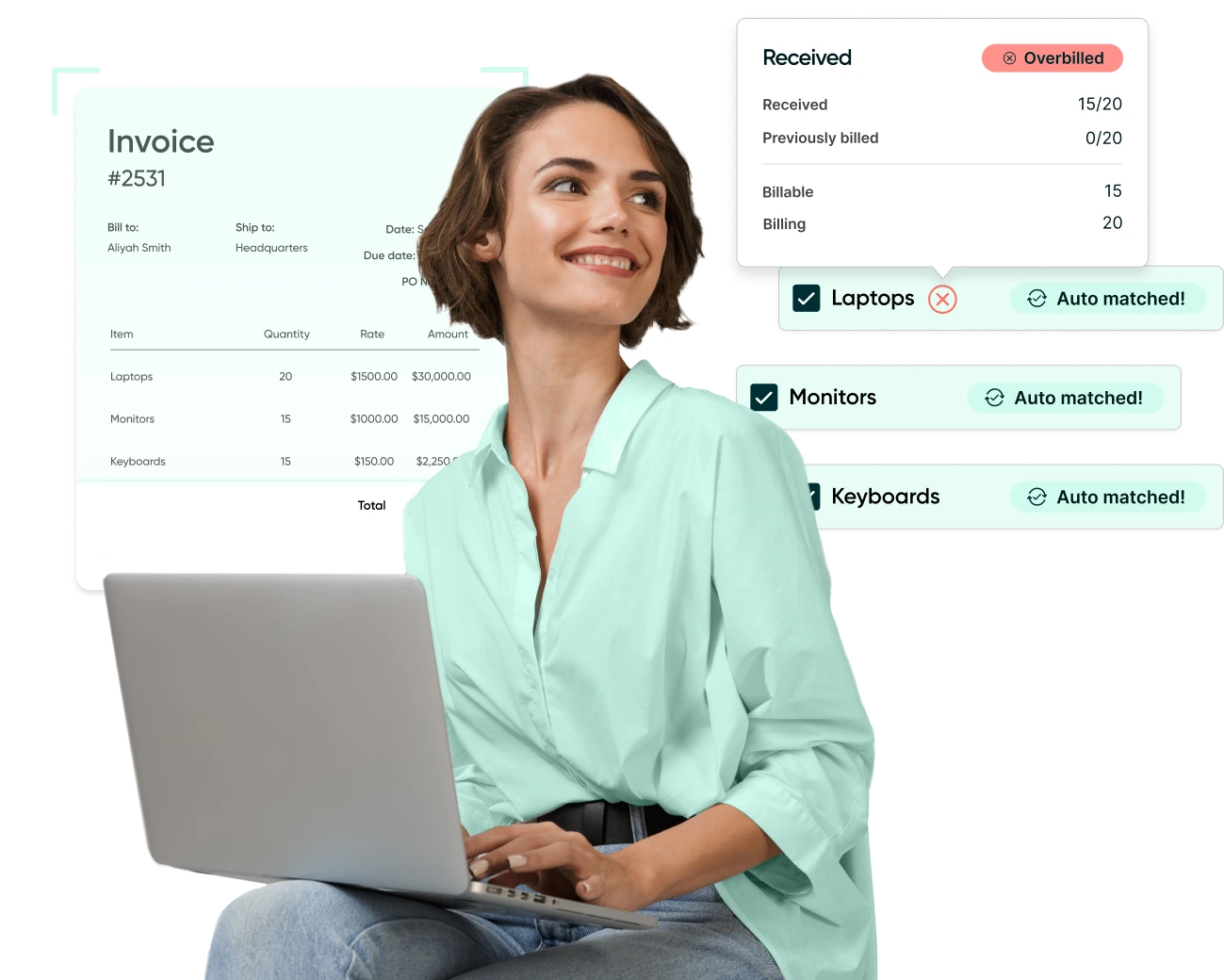
Webinar: Automate Your AP Processes with Procurify
Learn how AP automation enhances the efficiency, accuracy, and financial visibility of your accounts payable workflows.


