


What Is Three-Way Matching? Definition, Process, and How to Automate It
Three-way matching is one of those AP controls that sounds simple until you’re actually running it. The concept is straightforward: before you pay a vendor invoice, you confirm that what was ordered on the purchase order, what was received and logged by the warehouse or operations team, and what the vendor is billing for all match. If they do, the invoice gets approved. If they don’t, it gets held until someone resolves the discrepancy.
In practice, getting all three documents into the same place at the same time, especially when purchase orders live in one system, receiving reports are logged elsewhere, and invoices arrive as PDFs via email, is where most of the work actually happens.
This guide covers how the process works, the specific ways manual matching breaks down at scale, and how automation changes the time AP teams spend.
What is three-way matching?
Three-way matching is an accounts payable control that verifies a vendor invoice against two other documents before approving payment: the original purchase order (PO) and the receiving report (also called a goods receipt). All three documents must align on quantity, price, and item description before the invoice is approved and payment is released.
The “three” refers to the three documents being compared:
- Purchase order — what your organization agreed to buy, at what price
- Vendor invoice — what the supplier is billing you for
- Receiving report — confirmation that the goods or services were actually received
If all three documents match within your defined tolerances, the invoice is approved for payment. If there’s a discrepancy — a price difference, a quantity mismatch, or a missing receiving report — the invoice is flagged for review.
The three-way matching process, step by step
Understanding the purchasing process from start to finish puts three-way matching in context. Here’s where it sits and how it works:
- A purchase order is created and approved. A department submits a purchase request, it goes through your approval workflow, and a PO is issued to the vendor with agreed quantities and pricing.
- Goods or services are delivered. The vendor fulfills the order and your team logs a receiving report confirming what arrived — quantities, condition, and any discrepancies from the original PO. This step may happen before or after the invoice arrives.
- The vendor submits an invoice. The supplier bills for the fulfilled order. Invoices can arrive before, during, or after delivery — which is exactly why the receiving report is a separate document rather than assumed from the invoice alone.
- AP retrieves all three documents. Once the PO, receiving report, and invoice are all available, they are pulled together for comparison.
- The documents are compared line by line. Accounts payable checks that quantities, unit prices, and item descriptions match across all three. Most organizations define an acceptable variance threshold (e.g. ±2%) rather than requiring exact matches.
- The invoice is approved or held. If everything aligns, the invoice is cleared for payment. If not, it’s flagged and routed for resolution before any funds move.
2-way vs. 3-way vs. 4-way matching: what’s the difference?
Not every organization uses 3-way matching for every purchase. The level of verification applied typically depends on the value, risk, and type of transaction.
| Matching type | Documents compared | Best used for |
|---|---|---|
| 2-way matching | Purchase order + invoice | Low-value, low-risk purchases; services without physical delivery |
| 3-way matching | Purchase order + invoice + receiving report | Most goods-based purchases; standard AP control for mid-market organizations |
| 4-way matching | Purchase order + invoice + receiving report + inspection report | High-value or regulated purchases where quality verification is required (e.g. manufacturing, healthcare) |
Most mid-market finance teams apply 3-way matching as their default for any PO-backed purchase, with 2-way matching reserved for recurring services and 4-way used selectively for high-value or compliance-sensitive transactions.
Why 3-way matching matters for accounts payable teams
The value of three-way matching goes beyond catching the occasional billing error. For AP teams, it’s a foundational control that affects fraud prevention, cash management, and audit readiness simultaneously.
It supports better cash flow management
Three-way matching gives finance teams confidence that every invoice approved for payment is both legitimate and accurate. That confidence is what enables early payment discount programs — suppliers often offer 1–2% discounts for payment within 10 days, but finance teams can only take advantage when they trust the invoice has been properly verified. Equally, matching prevents overpayments and duplicate payments that quietly erode working capital without appearing as line items in any budget.
It prevents duplicate and fraudulent payments
Without cross-referencing a receiving report, it’s possible to pay for goods that were never delivered — or to pay the same invoice twice. Three-way matching closes both gaps. An invoice without a matching PO or receiving report cannot be approved, making it significantly harder for fraudulent invoices or duplicate submissions to slip through.
It protects against pricing discrepancies
Supplier invoices don’t always match what was quoted on the purchase order. Prices change, quantities are adjusted, and billing errors happen. Three-way matching catches these discrepancies before payment, rather than after, which is far easier to resolve.
It creates a clean audit trail
Every matched and approved invoice produces a documented record linking the authorization (PO), the delivery (receiving report), and the billing (invoice). When auditors review AP transactions, this three-document chain is exactly what they’re looking for. Having it in place means faster, smoother audits with less risk of findings.
It reduces rogue spending
The requirement for an approved PO before an invoice can be matched means unauthorized purchases are visible. If an invoice arrives without a corresponding PO, it gets flagged — surfacing unapproved spending that would otherwise go unnoticed until month-end reconciliation.
The problem with manual 3-way matching
The logic of three-way matching is sound. The execution — when done manually — is where organizations run into trouble.
Manual matching means AP staff retrieving documents from multiple systems, comparing line items by hand, and routing exceptions through email chains for resolution. For a mid-market organization processing hundreds of invoices per month, this is a significant time sink. Late payments, missed early-payment discounts, and supplier relationship friction are common side effects.
The challenge compounds when purchase orders are in one system, receiving reports are logged elsewhere, and invoices arrive as PDFs via email. There’s no single source of truth, and matching becomes a manual reconciliation exercise rather than an automated control.
The cost difference is significant. According to industry research, manual invoice processing costs between $15 and $40 per invoice, with the average around $16 when factoring in labor, error correction, and approval overhead. Organizations using automated matching bring that figure down to $2–$5 per invoice — a reduction of up to 80% for high-volume AP teams. For a mid-market company processing 500 invoices a month, that gap compounds quickly. See how this company went from spending 30-40 hours a month on reconciliation to 4 hours.
Spreadsheet-based AP workflows carry specific risks that go beyond inefficiency:
- No immutable audit trail. Spreadsheets can be edited after the fact with no record of who changed what, or when. Auditors looking for a complete, tamper-evident transaction history — the PO authorization, the delivery confirmation, the invoice approval, in sequence — cannot reconstruct it reliably from a spreadsheet. This creates findings risk even when no actual fraud has occurred.
- Duplicate payment exposure. Manual processes have no automatic check for whether an invoice has already been paid. The same invoice submitted twice — whether by accident or deliberately — can result in two payments. Vendor fraud via duplicate invoice submission is one of the most common AP fraud vectors precisely because manual workflows rely on human memory to catch it.
- Phantom vendor and fictitious invoice risk. Without a system that cross-references every invoice against an approved vendor list and an existing PO, fraudulent invoices from fictitious vendors can enter the payment queue. In spreadsheet workflows, the only control is the person reviewing the queue — and that control fails under volume or when the reviewer is the person committing the fraud.
- Version control and access issues. When multiple people maintain different copies of an AP spreadsheet, the risk of paying from stale data — an outdated exchange rate, an outdated vendor bank account, or a closed PO — increases with each additional user.
These aren’t edge cases. They’re the predictable failure modes of any system where documents live in separate places and humans are the matching control. This is the core problem that leading accounts payable automation software is designed to solve — replacing human memory and manual cross-referencing with system-enforced controls that run on every transaction, every time.
How Procurify automates three-way matching
Procurify’s AP automation software is built on the idea that matching should be a natural output of your purchasing workflow, not a separate manual task bolted on at the end.
It starts at the purchase order, not the invoice
Most manual matching problems begin because the three documents live in different places and are assembled after the fact. Procurify removes that problem at the source: unbilled items are created automatically at PO inception, so by the time an invoice arrives, the system already knows what was ordered, at what price, and against which budget.
Invoices come in through a dedicated inbox
Procurify provides each AP team with a unique, secure inbox email address. Vendors send invoices to your existing AP email, and your team forwards them, or you can instruct vendors to send them directly. Either way, once an invoice hits the inbox, Procurify’s AI-enhanced OCR technology takes over automatically.
The system extracts the following fields from each invoice without manual data entry:
- Invoice number and invoice date
- PO number
- Vendor name
- Due date
That data is used to create a pre-populated draft bill, with the original invoice attached and line-level data mapped to the corresponding PO. Account codes from the original approved requisition carry over automatically, no re-coding required.
Matching runs against the PO and receiving record
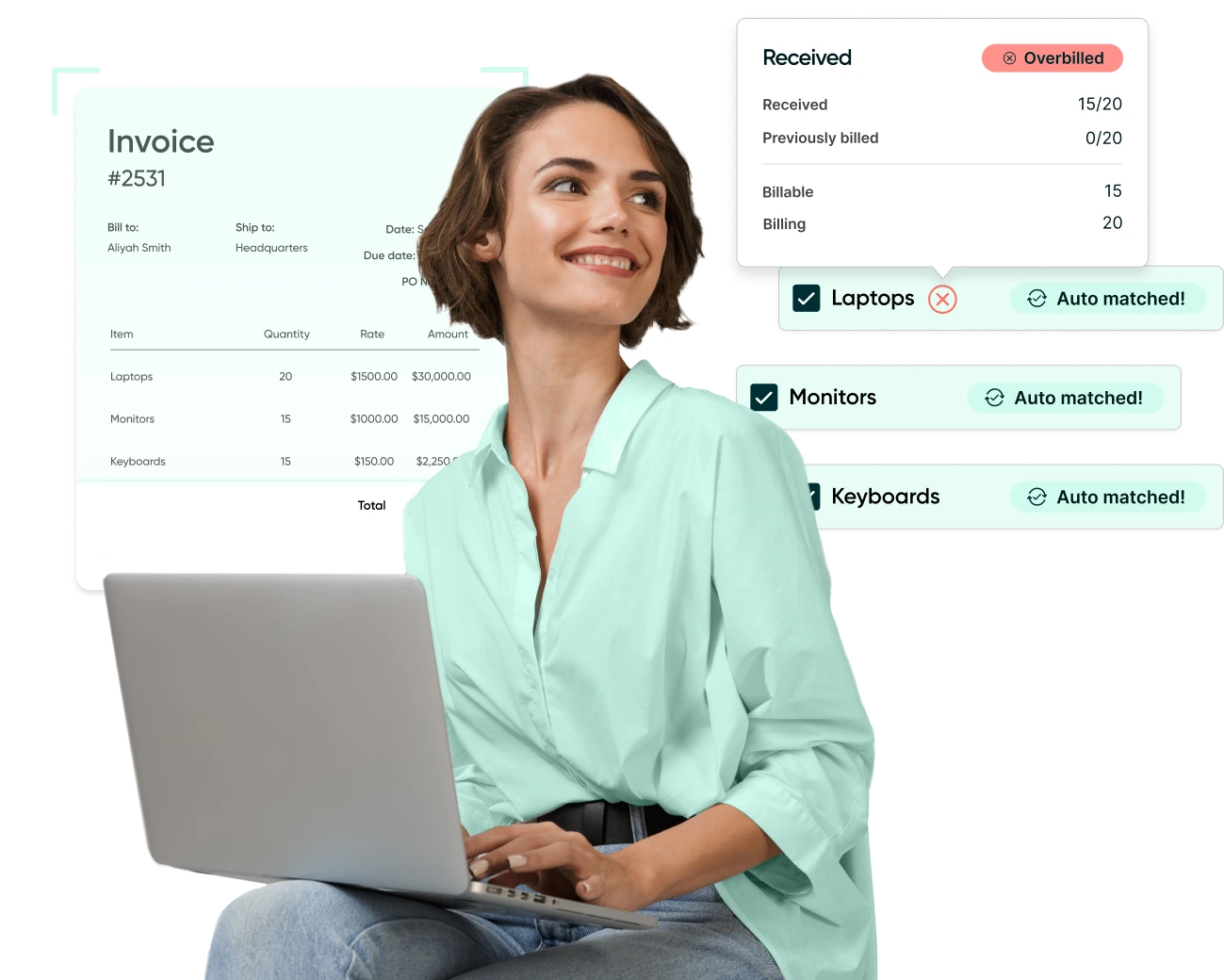
With the draft bill created, Procurify runs automated 3-way matching across the purchase order, invoice, and receipt. Both 2-way and 3-way matching are supported depending on your configuration. The system checks for variances in unit cost and received quantity and flags discrepancies immediately — so AP reviewers see exceptions rather than wading through every line of every invoice.
Variance alerts are configurable: routing conditions can be based on dollar amount, percentage variance, or line-item variance. That means high-value or out-of-tolerance invoices are automatically escalated, while routine matched invoices move through without manual review.
Approved bills push directly to your ERP
For teams running ERP integrations, including NetSuite, approved bills sync directly once matching is complete. The three-way match is completed in Procurify against the receiving report (or packing slip), PO, and invoice, and the approved bill is pushed into NetSuite for your records. No duplicate entry, no reconciliation between systems.
The result is an AP process where every invoice is matched before it moves, exceptions surface immediately rather than at month-end, and the complete three-document audit trail is maintained automatically.
Frequently asked questions
What documents are used in 3-way matching?
Three-way matching compares three documents: the purchase order (what was ordered and at what price), the vendor invoice (what the supplier is billing for), and the receiving report or goods receipt (confirmation that the goods or services were delivered). All three must align before payment is approved.
What happens if the documents don’t match?
If a discrepancy is identified — a price difference, quantity mismatch, or missing receiving report — the invoice is placed on hold and flagged for review. AP staff or the relevant approver investigates the exception, resolves it with the vendor or internal team, and then either approves or rejects the invoice. No payment is released until the discrepancy is resolved. In automated systems like Procurify, variance alerts are triggered immediately and routed to the right approver based on configurable conditions — dollar amount, percentage variance, or line-item variance.
How do you set variance thresholds for 3-way matching?
Most organizations define an acceptable tolerance rather than requiring exact matches — typically between 1% and 5% depending on the transaction type and supplier relationship. Thresholds can be configured by dollar amount (e.g. flag any invoice where the total exceeds the PO by more than $50), by percentage (e.g. flag unit cost variances above 2%), or by line-item variance. Higher-value purchases typically warrant tighter thresholds. In Procurify, routing conditions for variance alerts are configurable at the organization level, so finance teams can apply different tolerances for different purchase categories.
Is 3-way matching required?
There is no universal legal requirement for 3-way matching, but it is considered a best practice in accounts payable and is commonly required by auditors and internal controls frameworks. Many organizations also require it as part of their own procurement policy, particularly for goods-based purchases above a defined threshold.
What’s the difference between 2-way and 3-way matching?
Two-way matching compares the purchase order against the invoice only. Three-way matching adds a third check — the receiving report — to confirm that the goods or services were actually delivered before payment is made. Three-way matching provides stronger fraud protection and is the standard for most physical goods purchases. Procurify supports both matching types, allowing finance teams to configure which applies based on purchase category or transaction value.
If your AP team is still running three-way matching manually, the time and cost overhead adds up faster than most finance leaders realize. Procurify’s AP automation handles matching automatically — so your team focuses on exceptions, not paperwork. Book a demo to see how it works in practice.
Webinar: Automate Your AP Processes with Procurify
Learn how AP automation enhances the efficiency, accuracy, and financial visibility of your accounts payable workflows.


